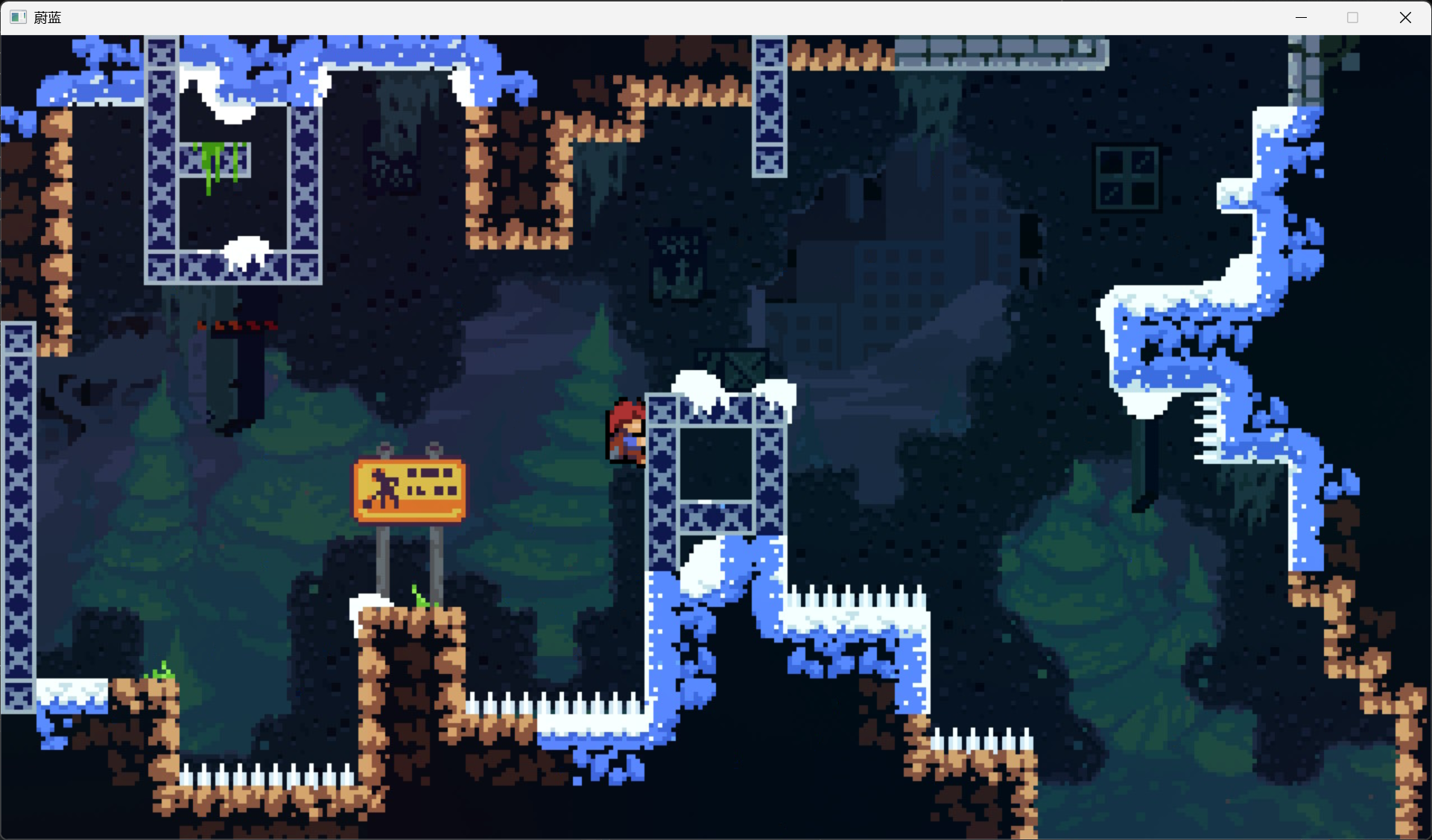
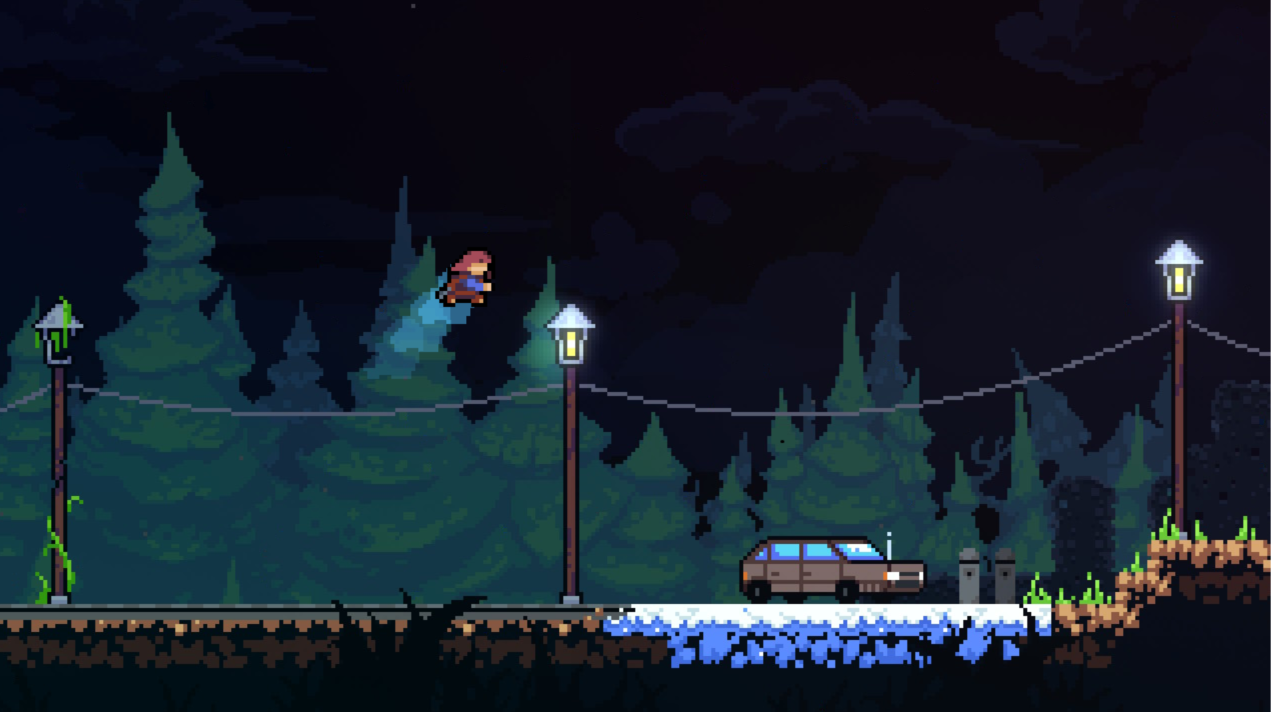
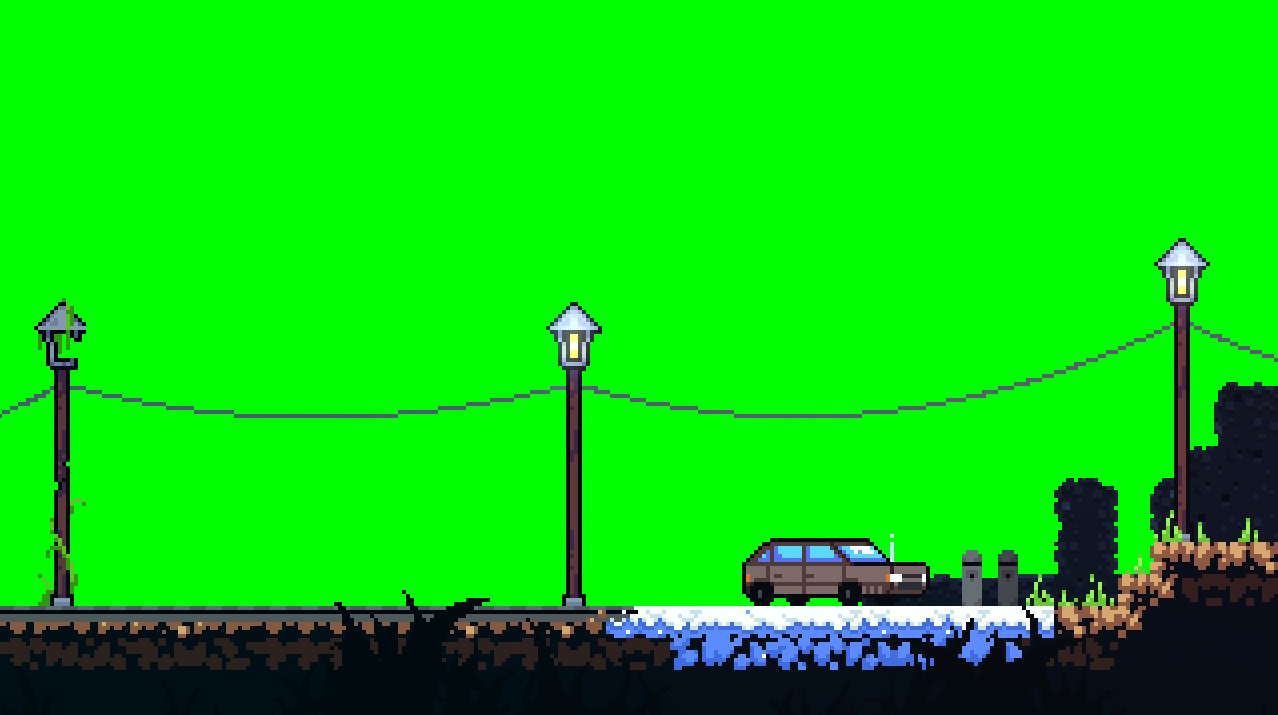
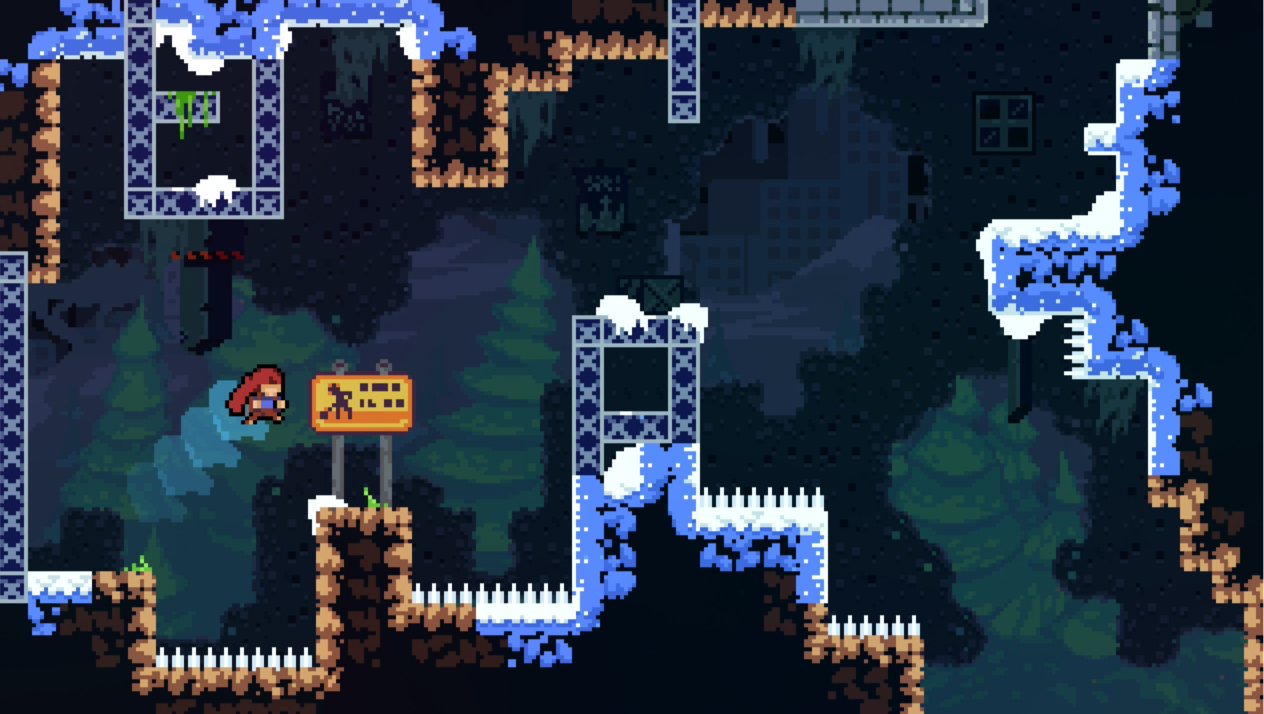
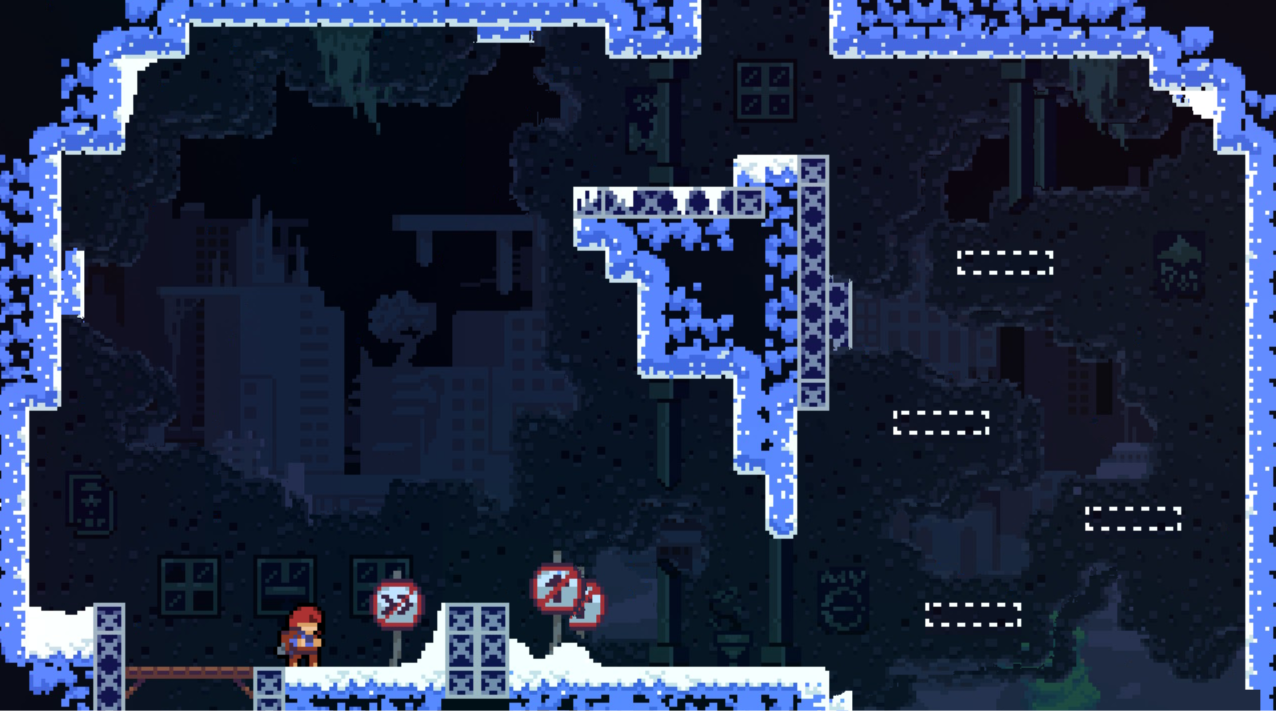
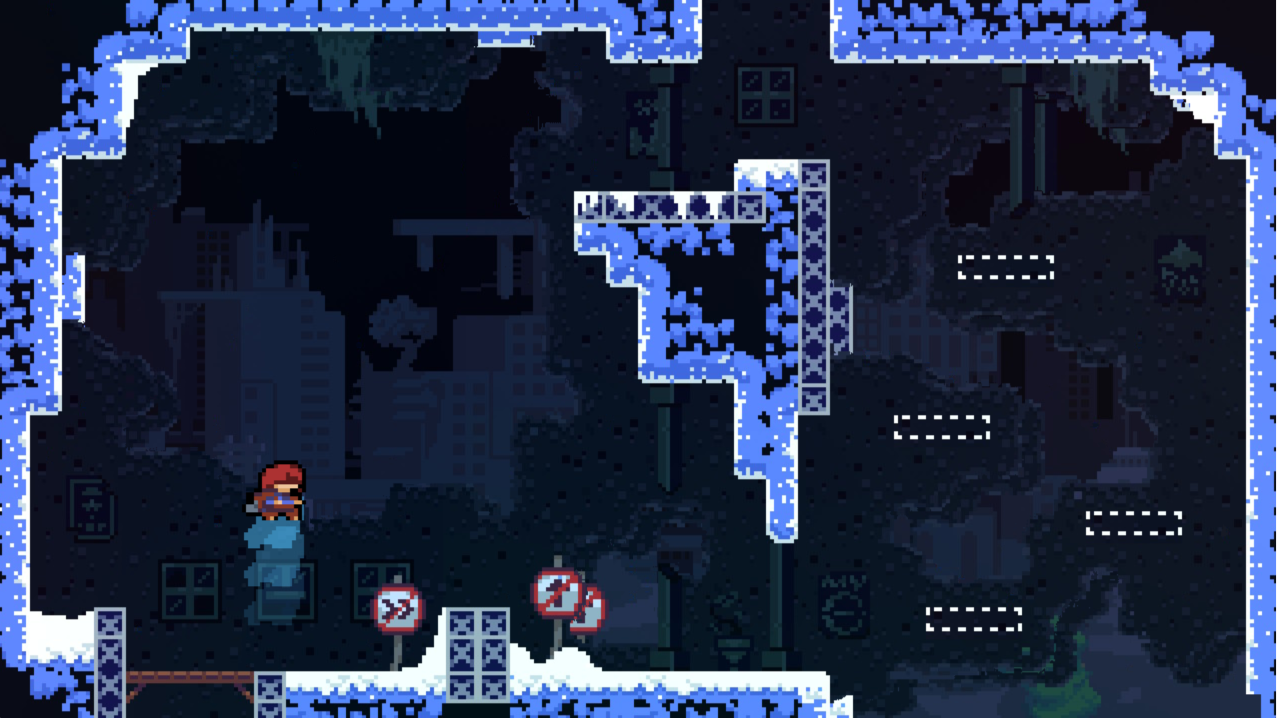
本篇记录的是一个类 Celeste 平台跳跃 Demo 的工程拆分。项目里我把地图表现和地图碰撞拆成两份资源: PNG 负责显示,BMP 蒙版负责生成碰撞;将角色跳跃、下蹲、冲刺、蹬墙和抓墙交给分层状态机处理。
从地图资源开始拆分
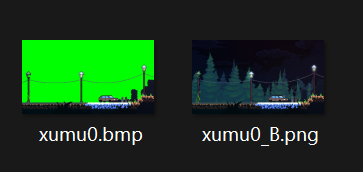
这个项目里我把地图目录当成资源入口,每个关卡目录里放一张用于渲染的 PNG,再放一张用于碰撞的 BMP。MapManager 会扫描目录名,但不需要关心具体图片文件名。
1
2
3
4
5
6
7
8
9
10
11
12
13
14
15
16
17
18
19
20
21
22
23
24
25
26
27
28
29
30
bool MapManager::loadMapTexturesFromDirectory ( SDL_Renderer* renderer, const std::string& root_assets_path_str) for (const auto & entry : fs::directory_iterator (root_path)) { if (!entry.is_directory ()) { continue ; } std::string level_name = entry.path ().filename ().string (); fs::path bmp_path, png_path; for (const auto & file_entry : fs::directory_iterator (entry.path ())) { std::string ext = file_entry.path ().extension ().string (); if (ext == ".bmp" ) bmp_path = file_entry.path (); else if (ext == ".png" ) png_path = file_entry.path (); } if (!png_path.empty ()) { SDL_Texture* raw_texture = IMG_LoadTexture (renderer, png_path.string ().c_str ()); m_map_textures[level_name] = SDLTexturePtr (raw_texture, SDLTextureDeleter ()); } if (!bmp_path.empty ()) { auto collision_mask = loadCollisionMaskFromBMP (bmp_path.string (), 16 ); m_collision_masks[level_name] = collision_mask; } } return true ; }
进入场景时,渲染纹理和碰撞蒙版一起绑定到当前关卡。场景负责选择地图,物理系统只消费已经生成好的碰撞数据。
1
2
3
4
5
6
7
8
9
10
11
void l0::on_enter () auto & map = MapManager::getInstance (); background = map.getMapTexture ("L0" ).get (); rebirth_point = { 200 , 300 }; player->get_physics_ref ()->set_position (rebirth_point); player->get_physics_ref ()->set_map_collision (map.getCollisionMask ("L0" )); Scene::on_enter (); }
这个拆分最大的好处是关卡迭代很轻。美术图可以继续保留大量细节,碰撞图只表达哪里能走,哪里不能走。当我想换一张地图时,只要补齐同目录下的 PNG 和 BMP,运行时就能自动接入。
用 BMP 蒙版生成瓦片碰撞
碰撞蒙版本质上是一张低成本的规则图。加载 BMP 后先统一转成 SDL_PIXELFORMAT_RGBA32,再按 16x16 的 tile 去扫描像素。每个 tile 默认可通行,只要里面发现一个不可通行像素,就把整个 tile 标记成墙。
这里的颜色规则很直接:
透明像素可通行。
白色像素可通行。
绿色像素可通行。
其他颜色都视为不可通行。
1 2 3 4 5 6 7 8 9 10 11 12 13 14 15 16 17 18 19 20 21 22 23 24 25 26 27 28 29 30 31 32 33 34 35 36 37 38 39 40 41 42 43 44 45 46 47 48 49 50 51 std::vector<std::vector<bool >> MapManager::loadCollisionMaskFromBMP ( const std::string& filepath, int tile_size) { SDL_Surface* surface = SDL_LoadBMP (filepath.c_str ()); SDL_Surface* formatted_surface = SDL_ConvertSurfaceFormat (surface, SDL_PIXELFORMAT_RGBA32, 0 ); SDL_LockSurface (formatted_surface); Uint32* pixels = static_cast <Uint32*>(formatted_surface->pixels); int pitch = formatted_surface->pitch / sizeof (Uint32); int map_width_in_tiles = formatted_surface->w / tile_size; int map_height_in_tiles = formatted_surface->h / tile_size; std::vector<std::vector<bool >> collision_map (map_height_in_tiles); for (int ty = 0 ; ty < map_height_in_tiles; ++ty) { collision_map[ty].resize (map_width_in_tiles); for (int tx = 0 ; tx < map_width_in_tiles; ++tx) { bool is_tile_walkable = true ; for (int y = 0 ; y < tile_size; ++y) { for (int x = 0 ; x < tile_size; ++x) { int pixel_x = tx * tile_size + x; int pixel_y = ty * tile_size + y; Uint32 pixel = pixels[pixel_y * pitch + pixel_x]; Uint8 r, g, b, a; SDL_GetRGBA (pixel, formatted_surface->format, &r, &g, &b, &a); bool is_pixel_walkable = (a == 0 ) || (r == 255 && g == 255 && b == 255 ) || (r == 0 && g == 255 && b == 0 ); if (!is_pixel_walkable) { is_tile_walkable = false ; goto next_tile; } } } next_tile: collision_map[ty][tx] = is_tile_walkable; } } SDL_UnlockSurface (formatted_surface); SDL_FreeSurface (formatted_surface); return collision_map; }
这个函数返回的是 vector<vector<bool>>,其中 true 表示可通行,false 表示墙。这样做比逐像素碰撞更粗,但很适合 16 像素网格的像素平台游戏。它牺牲了一点斜边精度,换来了更稳定的落地、贴墙和顶头判断。
把瓦片合并成矩形 如果每帧都拿玩家碰撞箱去遍历所有 tile,关卡稍微大一点就会浪费很多检查。实际参与物理检测的并不是 bool 网格,而是 PhysicsBody::set_map_collision() 里合并出来的 SDL_FRect。
合并策略是从左上到右下扫描,遇到未访问过的墙块后先向右扩展最大宽度,再向下扩展高度。最终把一片连续墙块压成一个矩形。
1
2
3
4
5
6
7
8
9
10
11
12
13
14
15
16
17
18
19
20
21
22
23
24
25
26
27
28
29
30
31
32
33
34
35
36
37
38
39
40
41
void PhysicsBody::set_map_collision (const std::vector<std::vector<bool >>& new_map) map = new_map; m_collision_rects.clear (); const int rows = map.size (); const int cols = map[0 ].size (); std::vector<std::vector<bool >> visited (rows, std::vector <bool >(cols, false )); for (int y = 0 ; y < rows; ++y) { for (int x = 0 ; x < cols; ++x) { if (!map[y][x] && !visited[y][x]) { int current_width = 1 ; while (x + current_width < cols && !map[y][x + current_width] && !visited[y][x + current_width]) { current_width++; } int current_height = 1 ; bool can_extend_down = true ; while (y + current_height < rows && can_extend_down) { for (int i = 0 ; i < current_width; ++i) { if (map[y + current_height][x + i] || visited[y + current_height][x + i]) { can_extend_down = false ; break ; } } if (can_extend_down) current_height++; } m_collision_rects.push_back ({ float (x * TILE_SIZE), float (y * TILE_SIZE), float (current_width * TILE_SIZE), float (current_height * TILE_SIZE) }); } } } }
这一步很关键,关卡制作时我只需要看 BMP,运行时物理系统只需要看合并后的墙体矩形。
物理只解决位置和接触状态 物理层没有直接决定角色应该进入什么状态。它只做三件事: 应用速度、解穿透、刷新接触信息。真正的现在是 Jump 还是 Fall 交给上层状态机判断。
1
2
3
4
5
6
7
8
9
10
11
12
13
14
void PhysicsBody::update (float delta) if (m_use_gravity) { m_velocity.y += (GRAVITY * m_gravity_scale) * delta; if (m_velocity.y > MAX_FALL_SPEED) { m_velocity.y = MAX_FALL_SPEED; } } m_position.x += m_velocity.x * delta; m_position.y += m_velocity.y * delta; resolve_penetration (); check_collision_states (); }
resolve_penetration() 先用玩家世界碰撞箱和每个墙体矩形做相交测试,再按较小重叠轴把玩家推出去。横向穿透清 velocity.x,纵向穿透清 velocity.y。
1
2
3
4
5
6
7
8
9
10
11
12
13
14
15
16
17
18
19
20
if (SDL_HasIntersectionF (&world_collider, &rect)) { float overlap_x = std::min ( world_collider.x + world_collider.w - rect.x, rect.x + rect.w - world_collider.x); float overlap_y = std::min ( world_collider.y + world_collider.h - rect.y, rect.y + rect.h - world_collider.y); if (overlap_x < overlap_y) { if (m_velocity.x > 0 ) m_position.x -= overlap_x; else if (m_velocity.x < 0 ) m_position.x += overlap_x; m_velocity.x = 0 ; } else { if (m_velocity.y > 0 ) m_position.y -= overlap_y; else if (m_velocity.y < 0 ) m_position.y += overlap_y; m_velocity.y = 0 ; } }
接触状态则用 1 像素探针检测。脚下探针负责地面,左右探针负责墙面,并记录墙在玩家哪一侧。
1
2
3
4
5
6
7
8
9
10
11
12
13
14
15
16
17
18
19
20
SDL_FRect ground_probe = { world_collider.x, world_collider.y + world_collider.h, world_collider.w, 1.0f }; SDL_FRect left_probe = { world_collider.x - 1.0f , world_collider.y, 1.0f , world_collider.h }; SDL_FRect right_probe = { world_collider.x + world_collider.w, world_collider.y, 1.0f , world_collider.h };
这个设计让物理层只给出 is_on_ground、is_against_wall、wall_direction 这些具体返回值。
分层状态机的结构 角色动作复杂以后,普通状态机会很快出现重复判断。例如冲刺可以从地面和空中发动,落地可以打断 Jump、Fall、WallJump,下蹲只在地面有效。如果每个子状态自己处理所有转移,很容易写出一堆互相冲突的判断。
所以这里用了 HSM,也就是分层状态机。子状态表达具体动作,父状态表达一类共享规则。
1 2 3 4 5 6 7 8 9 10 11 12 HSM::HSM (Player* owner) : m_owner (owner) { m_state_to_super_state["Idle" ] = "OnGround" ; m_state_to_super_state["Run" ] = "OnGround" ; m_state_to_super_state["Crouch" ] = "OnGround" ; m_state_to_super_state["Jump" ] = "InAir" ; m_state_to_super_state["Fall" ] = "InAir" ; m_state_to_super_state["WallJump" ] = "InAir" ; m_state_to_super_state["WallGrab" ] = "Wall" ; m_state_to_super_state["Dashing" ] = "Dashing" ; }
状态本身由三张表管理: enter、update、exit。切换时先退出旧状态,再进入新状态,最后通知动画系统。
1
2
3
4
5
using StateLogic = std::function<void (float )>;std::map<std::string, StateLogic> m_state_updates; std::map<std::string, StateLogic> m_state_enters; std::map<std::string, StateLogic> m_state_exits;
状态切换没有立刻执行,而是先写入 m_queued_state_name。每帧先做决策,最后统一执行切换,这样可以避免一个状态更新过程中连续切好几次。
1
2
3
4
5
6
7
8
9
10
11
12
void HSM::update (float delta) m_queued_state_name.clear (); bool transition_found = check_and_apply_shared_transitions (); if (!transition_found && m_state_updates.count (m_current_state)) { m_state_updates[m_current_state](delta); } if (!m_queued_state_name.empty ()) { perform_queued_switch (); } }
共享转移先于子状态逻辑 HSM 的重点不是状态数量,而是优先级。这个项目里冲刺优先级最高,几乎可以从任何状态发动;地面父状态统一处理下蹲、跳跃、掉落;空中父状态统一处理落地和抓墙。
1
2
3
4
5
6
7
8
9
10
11
12
13
14
15
16
17
18
19
20
21
22
23
24
25
26
27
28
29
30
31
32
33
34
35
36
37
38
39
40
bool HSM::check_and_apply_shared_transitions () if (m_owner->was_dash_pressed () && m_owner->can_dash ()) { switch_state("Dashing" ); return true ; } if (m_current_super_state == "OnGround" ) { if (m_owner->is_crouch_held () && m_current_state != "Crouch" ) { switch_state("Crouch" ); return true ; } if (m_owner->was_jump_pressed_in_buffer ()) { switch_state("Jump" ); return true ; } if (!m_owner->get_physics ()->is_on_ground ()) { switch_state("Fall" ); return true ; } } else if (m_current_super_state == "InAir" ) { if (m_owner->get_physics ()->is_on_ground ()) { switch_state("Idle" ); return true ; } if (m_owner->get_physics ()->is_against_wall () && !m_owner->is_in_wall_jump_grace_period ()) { if (m_owner->get_move_direction ().x * m_owner->get_wall_direction () > 0.1f ) { switch_state("WallGrab" ); return true ; } } } return false ; }
共享转移先执行以后,子状态就能写得很窄。Idle 只关心有没有移动输入,Run 只关心是否停下,Jump 只关心上升速度何时变成下落,Dashing 只关心持续时间是否结束。
用动作意图隔开状态机和输入 角色控制里最容易出问题的是速度归属。玩家输入想改速度,状态机也想改速度,物理系统还会因为碰撞清速度。如果这些地方都直接写 m_velocity,角色就会出现跳跃被输入覆盖、冲刺被重力打断、下蹲速度没降下来这类问题。
这里我让 HSM 输出 ActionIntent,再由 Player::update() 在固定阶段执行。
1
2
3
4
struct ActionIntent { bool override_velocity; SDL_FPoint velocity_to_set; };
每帧更新顺序是固定的:
1
2
3
4
5
6
7
8
9
10
11
12
13
14
15
16
17
18
19
20
21
22
23
void Player::update (float delta) m_hsm_intent = { false , {0 , 0 } }; handle_continuous_input (); update_timers (delta); m_hsm.update (delta); if (m_hsm_intent.override_velocity) { m_physics.set_velocity (m_hsm_intent.velocity_to_set); } else if (m_can_control_movement) { float current_move_speed = m_crouch_held ? CROUCH_MOVE_SPEED : MOVE_SPEED; float current_vy = m_physics.get_velocity ().y; m_physics.set_velocity ({ m_move_input.x * current_move_speed, current_vy }); } m_physics.update (delta); update_event_flags (); m_animator.update (delta); pre_update_input_flags (); }
这套顺序能保证一次性输入在 HSM 决策时还存在,比如按下冲刺的这一帧 m_dash_pressed_this_frame 仍然是 true。等物理、动画、特效都处理完,再统一清掉一次性标记。
角色细节放在状态边界上 跳跃进入时消耗跳跃缓冲,并用 ActionIntent 请求一个向上的速度。这样空格可以提前 0.1 秒按下,落地瞬间仍然能跳起来。
1 2 3 4 5 6 7 m_state_enters["Jump" ] = [&](float delta) { m_owner->consume_jump_buffer (); m_owner->set_movement_control (false ); float current_vx = m_owner->get_physics ()->get_velocity ().x; m_owner->set_action_intent ({ true , { current_vx, -400.0f } }); };
冲刺进入时关闭重力、占用移动控制、按输入方向施加速度。没有方向输入时,冲刺方向会退回到角色上一帧朝向。
1
2
3
4
5
if (m_dash_pressed_this_frame) { m_dash_direction = (VectorLengthSq (m_move_input) > 0.1f ) ? VectorNormalize (m_move_input) : SDL_FPoint{ m_last_facing_x, 0.0f }; }
1 2 3 4 5 6 7 8 9 m_state_enters["Dashing" ] = [&](float delta) { m_state_timer = 0.0f ; m_owner->on_dash_used (); m_owner->set_movement_control (false ); m_owner->get_physics_ref ()->set_use_gravity (false ); m_owner->get_physics_ref ()->apply_dash_impulse ( m_owner->get_dash_direction (), 800.0f ); };
冲刺结束时不是直接停下,而是保留一半当前速度。这会让冲刺后进入下落更自然,不会像撞到空气墙一样突然归零。
1 2 3 4 5 6 7 m_state_exits["Dashing" ] = [&](float delta) { m_owner->set_movement_control (true ); m_owner->get_physics_ref ()->set_use_gravity (true ); auto vel = m_owner->get_physics ()->get_velocity (); m_owner->set_action_intent ({ true , VectorMultiplyScalar (vel, 0.5f ) }); };
抓墙进入时关闭重力并清零速度,更新时只允许沿墙上下移动。蹬墙跳进入时会给一个反墙方向的水平速度,再加一个向上的速度。
1 2 3 4 5 6 7 8 9 10 11 12 13 14 15 m_state_enters["WallGrab" ] = [&](float delta) { m_owner->set_movement_control (false ); m_owner->get_physics_ref ()->set_use_gravity (false ); m_owner->get_physics_ref ()->set_velocity ({ 0 , 0 }); }; m_state_updates["WallGrab" ] = [&](float delta) { float climb_vy = m_owner->get_move_input ().y * 100 ; m_owner->get_physics_ref ()->set_velocity ({ 0 , climb_vy }); if (m_owner->was_jump_pressed_in_buffer ()) { switch_state("WallJump" ); return ; } };
蹬墙跳后有一个 0.15 秒的抓墙豁免期。没有这段时间,玩家刚从墙上跳开的一瞬间仍然贴着墙,很容易被共享转移重新拉回 WallGrab,手感会像跳不出去。
1 2 3 4 5 6 7 8 m_state_enters["WallJump" ] = [&](float delta) { m_owner->consume_jump_buffer (); m_owner->set_movement_control (false ); float h_force = -m_owner->get_wall_direction () * 150.0f ; m_owner->get_physics_ref ()->set_velocity ({ h_force, -350.0f }); m_owner->start_wall_jump_grace_period (0.15f ); };
下蹲不只是换动画 下蹲状态会切换碰撞箱。普通站立碰撞箱是 32x64,下蹲碰撞箱是 32x32。这让角色可以进入低矮空间,而不是只播放一个看起来变矮的动画。
1 2 3 4 5 6 PhysicsBody::PhysicsBody (Player* owner) : m_owner (owner), m_position ({ 100.0f , 400 }), m_velocity ({ 0 , 0 }) { m_collider_profiles["normal" ] = { -16.0f , -64.0f , 32.0f , 64.0f }; m_collider_profiles["crouch" ] = { -16.0f , -32.0f , 32.0f , 32.0f }; m_current_collider = m_collider_profiles["normal" ]; }
退出下蹲时不能无脑站起来,需要先检查头顶空间。如果头顶被挡住,就继续留在 Crouch。
1 2 3 4 5 6 7 8 9 10 11 12 m_state_updates["Crouch" ] = [&](float delta) { if (!m_owner->is_crouch_held ()) { if (!m_owner->is_head_blocked ()) { switch_state("Idle" ); return ; } } }; m_state_exits["Crouch" ] = [&](float delta) { m_owner->get_physics_ref ()->set_collider_size ("normal" ); };
这里还有一个值得注意的取舍: 当前 is_head_blocked() 里先用了一个固定天花板高度做保护。如果关卡里有更复杂的低矮平台,后续应该把“假设站立碰撞箱”拿去和地图矩形一起检测,这样下蹲就能和真实地图完全一致。